
You’d want to delete a search for a contact ?
Step 1: Click on Contacts -> Active Contacts
Step 2: Search and click on the contact you want to remove the filter for. Click on the “Searches” tab, then click on the icon “ ” next to the filter you want to delete. Then click “Save”.
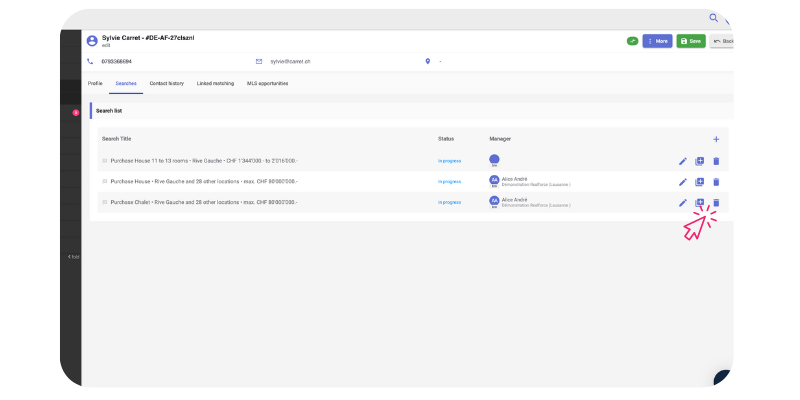
However, we recommend not deleting the filters but instead choosing a “Cancelled/Successfully Processed” status instead the search. This will allow you to find past searches for your contact.
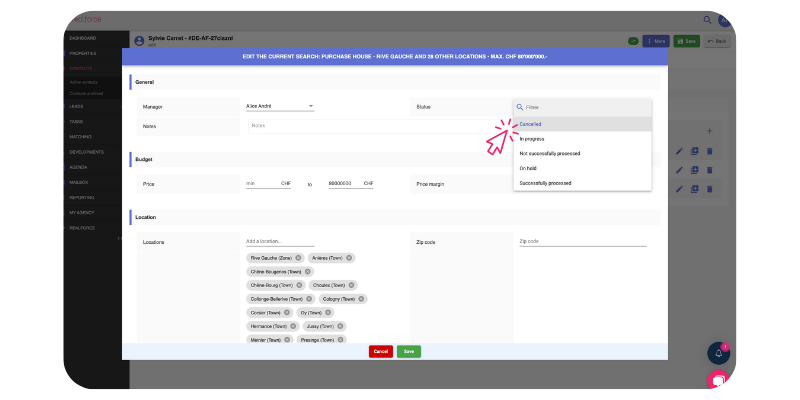
Note that only searches with a status of “In progress” will be considered in the matching process.